
Your Toggl Track hours, in a Google Sheet.
Pullrow is a Google Sheets add-on. Paste your Toggl API token, pick a workspace and a date range, and it writes one row per time entry into a sheet of its own. Use the data with the formulas, charts and pivot tables you already know.
Coming soon to the Google Workspace Marketplace.

How it works
Connect
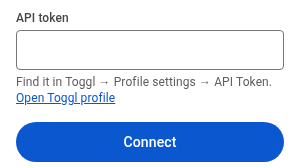
Paste the API token from your Toggl profile page. It is stored in your Google account's add-on storage, never in the sheet.
Choose
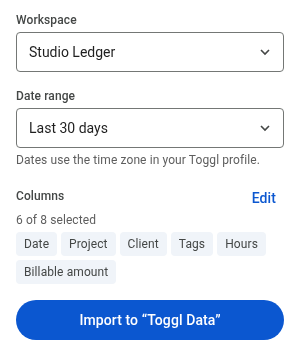
Pick a workspace, a date range and the columns you need: date, project, client, tags, description, hours, billable, amount.
Import
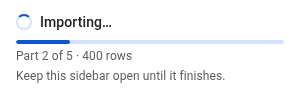
Pullrow creates its own sheet, "Toggl Data", and fills it. Large ranges are read in steps and resume where they stopped.
What to know before you install
- It reads from Toggl only. It never creates, changes or deletes anything in your Toggl account.
- Each import replaces the contents of the Pullrow sheet. Keep your own work on other sheets; your existing sheets are never touched.
- The add-on has no server of its own. It runs in Google Apps Script under your account and sends your data only between Toggl and your spreadsheet.
- Dates follow the time zone in your Toggl profile.
- The sidebar is available in English, Traditional Chinese and Japanese.
- Toggl limits free workspaces to a number of API requests per hour. When the limit is reached, the import pauses and tells you when you can resume. On Pro, the hourly update picks it up automatically.
Start with the free plan
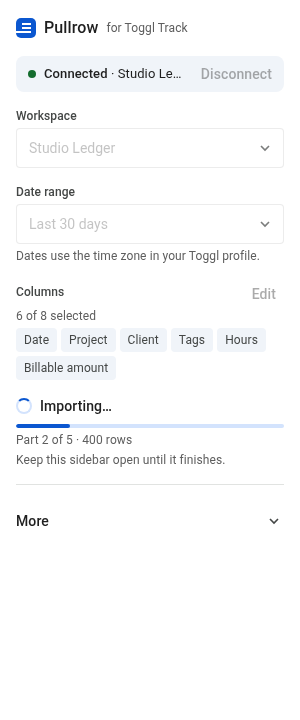
The free plan covers manual imports of the last 30 days. Upgrade when you want full history, daily updates and report sheets.